
For decades, the password was the key to our digital lives. Make it long, make it complicated and never share it. That advice still matters—but the way criminals steal accounts has changed. Today, protecting yourself increasingly requires something more than a password.
You probably have dozens of passwords. One for your email. Another for your bank. One for Amazon, another for Facebook, another for your phone company, your health insurance, your streaming services and websites you barely remember joining. For years, cybersecurity advice sounded remarkably simple: create a strong password and keep it secret. Then reality intervened.
Companies were hacked. Password databases were stolen. People reused the same passwords across multiple websites. Criminals built fake login pages that looked almost indistinguishable from the real ones. Billions of usernames and passwords began circulating through the criminal underground. And artificial intelligence is now making some forms of deception easier to personalize and scale. So perhaps it is time to ask a basic question: Is a password still enough? Increasingly, the answer is no.
The Problem Isn’t Just a Weak Password
We tend to imagine password security as a contest between ourselves and a hacker trying to guess whether we chose Fluffy123. That still happens, but it misses much of the modern problem. A perfectly good password can be stolen. You might type it into a convincing phishing site. Malware could capture it. A company storing your credentials could suffer a breach. Or you may have used the same password somewhere else years ago, and criminals can try those stolen credentials against other accounts. This is why simply making passwords more complicated does not solve everything. A twenty-character password is excellent protection if an attacker is trying to guess it. It is considerably less useful if you accidentally hand it to the attacker.
Your Email Password May Be the Most Important One You Have
Ask yourself what happens when you forget a password. Usually, the service sends a reset link to your email. That makes your email account something more than a place where messages arrive. In many cases, it is effectively the master key to the rest of your digital life. Someone who gains control of it may be able to reset passwords elsewhere, intercept security messages and impersonate you while attempting to gain access to other accounts. That is why your primary email account deserves particularly strong protection. Give it a unique password that you do not use anywhere else. Then add another layer of authentication. If there is one account where “good enough” should not be good enough, it is probably your email.
Add a Second Lock
Multi-factor authentication changes the equation by requiring something besides the password. You enter your password, but the service also asks for another form of verification. Depending on the system, that might be a code generated by an authenticator app, a security key, a notification on a trusted device or biometric confirmation. The principle is simple. A criminal may steal your password, but stealing your password does not automatically give the criminal everything needed to enter the account. Not all second factors provide equal protection. Security experts generally regard methods such as authenticator apps and hardware security keys as stronger against phishing than codes delivered by ordinary text message. But even adding a second factor can create an important additional barrier. For your most important accounts—particularly email, banking, financial services and social media—turning on multi-factor authentication is one of the most useful security improvements you can make.
Then Came the Passkey
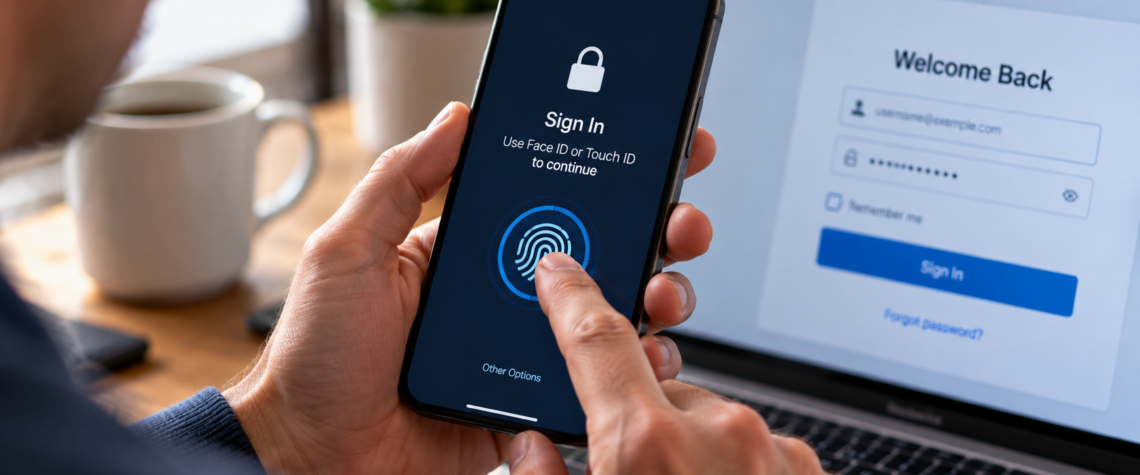
There is another change underway that may eventually make the traditional password much less important. It is called a passkey. The terminology sounds technical, but the experience can be surprisingly simple. Instead of typing a password, you may sign in using the same method you already use to unlock your phone or computer: your fingerprint, face recognition or device PIN. Behind that simple action is a major security difference. A passkey uses cryptographic credentials associated with your device or account rather than a secret word that you must repeatedly type into websites. The website does not need you to transmit a reusable password that a fake login page can simply capture. That makes passkeys particularly interesting as a defense against phishing. Imagine receiving an email that perfectly imitates your bank and sends you to a fake login page. With a traditional password, you might unknowingly type your credentials directly into the criminal’s website.
A properly implemented passkey is designed to work with the legitimate service for which it was created. The fake site cannot simply ask you to reveal the secret and reuse it elsewhere. In other words, instead of teaching humans to become infinitely better at recognizing fake login pages, the technology can help make the stolen credential itself less useful.
What About Your Face and Fingerprint?
Biometrics introduce another source of confusion. When your phone uses your face or fingerprint to approve a login, it may appear that the website is receiving your biometric information. That generally is not how modern passkey authentication is designed to work. Your fingerprint or face can be used locally to unlock access to a cryptographic credential stored on or accessible through your device. The service receives proof that the authentication succeeded, not necessarily a copy of your fingerprint or a photograph of your face.
That distinction matters. A password is a secret you know and can type somewhere. Your biometric characteristics are part of you. You can change a compromised password tomorrow. You cannot replace your fingerprints quite so easily. That is one reason consumers should understand what a particular service means when it says it uses “biometrics,” rather than assuming every biometric system works the same way.
Password Managers Solve a Human Problem
Passkeys are growing, but passwords are not disappearing tomorrow. We still need a sensible way to manage them. The problem is that the traditional advice asks human memory to do something human memory is terrible at doing: remember dozens of long, unique, random strings. So people improvise. They reuse the password, change Charlie1 into Charlie2. They put an exclamation point at the end. Or they use variations of the same password everywhere. A password manager addresses that problem by generating and storing unique passwords for you. Instead of remembering fifty passwords, you protect the password manager itself very carefully and let it handle much of the rest. The goal isn’t to create a password so clever that you can remember it. The goal is to make password reuse unnecessary.
Never Give Anyone the Code
There is one rule worth remembering because scammers repeatedly try to defeat even good security systems with human psychology. Never give an unexpected caller or message sender your verification code. Suppose a criminal already knows your email address and password. The criminal tries to log in, causing the legitimate service to send a verification code to your phone.
Then you receive a call: “This is the security department. We detected suspicious activity. I’m sending you a code to verify your identity. Please read it to me.” The code really did come from the company. But the person asking for it did not. You have just been manipulated into completing the criminal’s login. This is why security cannot be reduced to technology. A system can build a second lock, but an attacker may simply try to persuade you to open it.
What Should You Do Today?
You do not need to rebuild your entire digital life tonight. Start with the accounts whose loss would cause the greatest damage: your primary email, bank and financial accounts, Apple or Google account, and important social-media accounts. Make sure important passwords are unique. Use a reputable password manager if remembering them has become impossible. Turn on multi-factor authentication wherever it is available. If a trusted service offers passkeys, consider using them. And be suspicious whenever someone contacts you unexpectedly and asks for a password, verification code or immediate login. Security works best in layers. A strong password is one layer. Multi-factor authentication is another. A passkey can provide another approach. Your phone’s security matters. So does keeping software updated. But one layer remains entirely human: Stop when something feels urgent and verify what is happening before you act.
The Password Isn’t Dead—Yet
For years, we have been promised a future without passwords. We are finally beginning to see pieces of it. The transition will take time. We will probably live with an awkward mixture of passwords, authentication apps, fingerprints, faces, security keys and passkeys for years. That may sound more complicated. Ultimately, however, the objective is the opposite: security that depends less on people remembering dozens of secrets and more on systems that can verify identity without constantly asking us to type those secrets into boxes. Until then, your password still matters. Just don’t ask it to protect you all by itself.